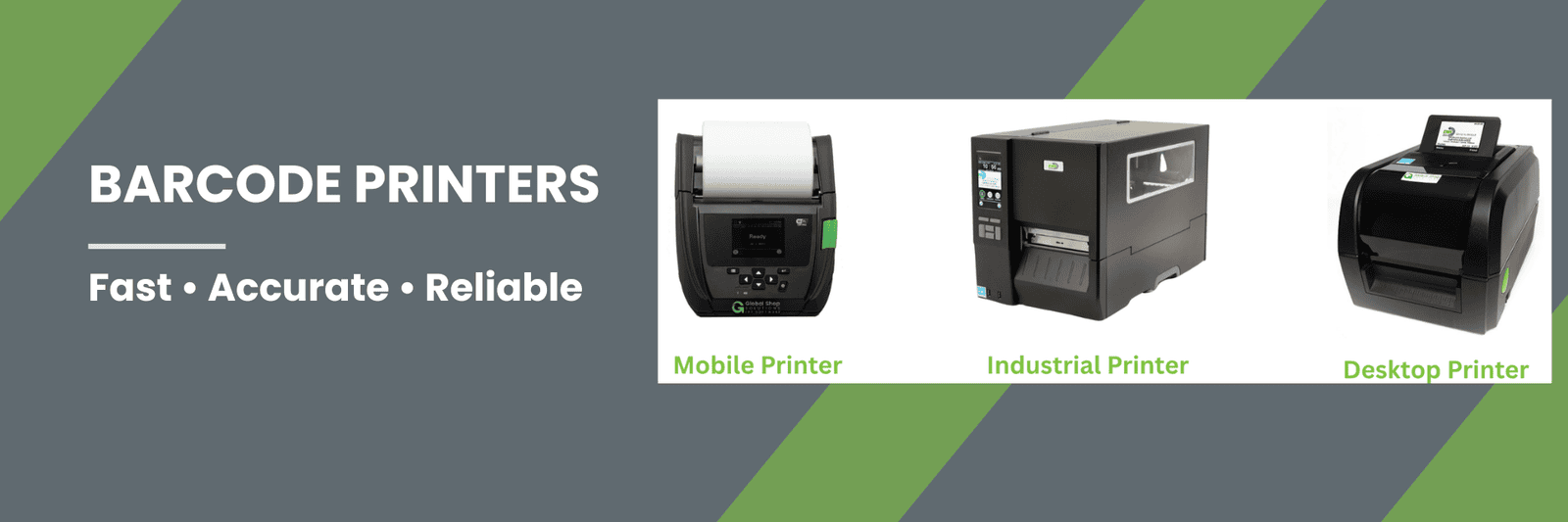
When it comes to barcode printing in manufacturing and warehouse environments, the wrong printer creates downtime, wasted labels, and workflow bottlenecks.
Selecting the correct barcode printer is one of the most important decisions in manufacturing automation. The right printer keeps production moving. The wrong printer creates bottlenecks, wasted media, and downtime.
At EMS Barcode, we simplify the decision by focusing on four core printer categories that cover nearly every industrial labeling requirement:
Industrial Barcode Printer
Wired Desktop Barcode Printer
Wireless Desktop Barcode Printer
Mobile Barcode Printer
Each serves a different purpose depending on volume, environment, and mobility.
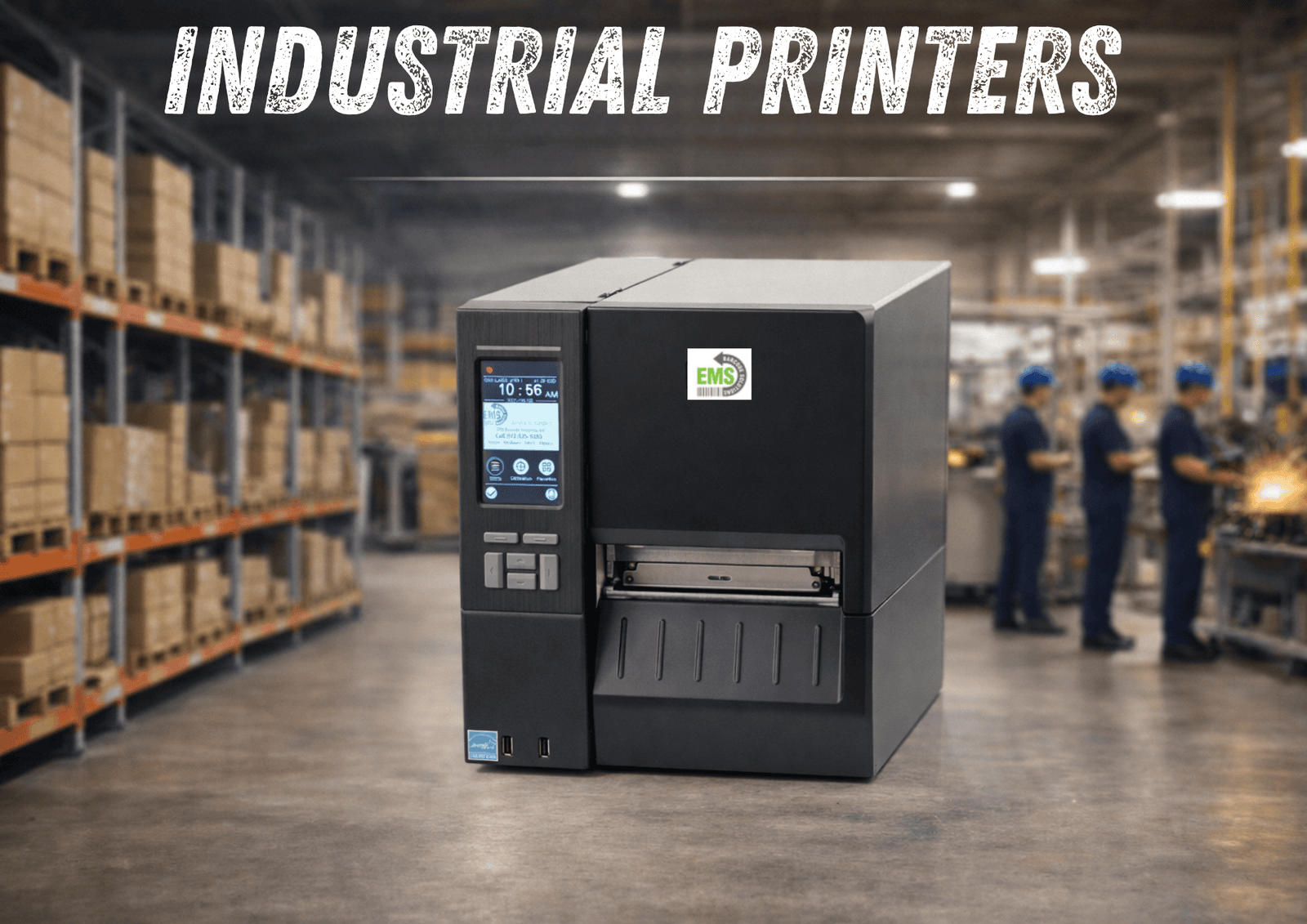
Industrial Barcode Printer - Maximum Durability and Continuous High-Volume Label Production
If your operation prints 500+ labels per day on a single printer—or runs continuous production—a performance industrial barcode printer is the right choice.
Industrial printers are built for sustained output in demanding manufacturing and warehouse environments. Unlike desktop models, these printers are engineered with reinforced internal components, metal construction, and high-duty cycle performance to handle long production runs without interruption.
When uptime and consistency matter, industrial printers become foundational equipment.
When an Industrial Printer Is the Right Fit
Choose an industrial barcode printer when:
You print 500+ labels per day per device
Printing occurs continuously throughout shifts
Labels must withstand harsh environments
Downtime is not acceptable
You require advanced media handling options
Industrial printers are ideal for:
Production lines
High-volume warehouse labeling
Compliance and serialized labeling
Asset tracking
Heavy manufacturing environments
If labeling is mission-critical to operations, industrial capacity is necessary.
Print Technology: Direct Thermal & Thermal Transfer
The EMS Certified Industrial Printer supports both:
Direct Thermal (DT)
No ribbon required
Lower consumable cost
Ideal for short-term labels
Thermal Transfer (TT)
Uses ribbon
Produces extremely durable labels
Resistant to heat, abrasion, chemicals, and outdoor exposure
Recommended for manufacturing environments
For long-term durability and industrial applications, Thermal Transfer is typically required.
Performance Specifications
The EMS Certified Industrial Printer includes:
4-inch print width
203 dpi standard resolution (optional 300 / 600 dpi available)
High-speed output (up to 14 inches per second)
All-metal internal frame construction
Large media capacity for extended runs
Advanced processor for high-volume performance
Optional cutter, peel-off, and internal rewinder
This printer platform is designed for:
Large label rolls
Continuous printing
Multi-shift operations
Harsh industrial environments
Its construction minimizes vibration, maintains print consistency, and supports long-term reliability.
Connectivity and Integration
Standard connectivity includes:
USB
Ethernet
Serial interfaces
Optional expansion modules allow:
Wi-Fi connectivity
GPIO
Why Choose Industrial Instead of Desktop?
Many facilities underestimate their print volume.
If you are:
Printing continuously
Running multiple shifts
Experiencing printer slowdowns
Replacing desktop printers frequently
You likely need industrial capacity.
Industrial printers:
Handle higher duty cycles
Support larger media rolls
Reduce maintenance frequency
Increase overall uptime
The investment pays for itself in reliability alone.
Common Mistakes When Selecting Industrial Printers
Underestimating print volume
Using desktop printers in continuous environments
Ignoring durability requirements
Choosing the resolution incorrectly for the barcode size
Industrial printers should be selected based on production demand, not price alone.
Bottom Line
The EMS Certified Industrial Barcode Printer delivers high-speed, high-volume label production with uncompromising durability.
It is the correct solution for:
Continuous production environments
Heavy manufacturing
High-volume warehouses
Compliance-driven labeling operations
When properly configured and supported, it becomes a core production asset — not a point of failure.
Industrial Barcode Printer - Maximum Durability and Continuous High-Volume Label Production
If your operation prints 500+ labels per day on a single printer—or runs continuous production—a performance industrial barcode printer is the right choice.
When an Industrial Printer Is the Right Fit
Choose an industrial barcode printer when:
You print 500+ labels per day per device
Printing occurs continuously throughout shifts
Labels must withstand harsh environments
Downtime is not acceptable
You require advanced media handling options
Industrial printers are ideal for:
Production lines
High-volume warehouse labeling
Compliance and serialized labeling
Asset tracking
Heavy manufacturing environments
If labeling is mission-critical to operations, industrial capacity is necessary.
Print Technology: Direct Thermal & Thermal Transfer
The EMS Certified Industrial Printer supports both:
Direct Thermal (DT)
No ribbon required
Lower consumable cost
Ideal for short-term labels
Thermal Transfer (TT)
Uses ribbon
Produces extremely durable labels
Resistant to heat, abrasion, chemicals, and outdoor exposure
Recommended for manufacturing environments
For long-term durability and industrial applications, Thermal Transfer is typically required.
Performance Specifications
The EMS Certified Industrial Printer includes:
4-inch print width
203 dpi standard resolution (optional 300 / 600 dpi available)
High-speed output (up to 14 inches per second)
All-metal internal frame construction
Large media capacity for extended runs
Advanced processor for high-volume performance
Optional cutter, peel-off, and internal rewinder
This printer platform is designed for:
Large label rolls
Continuous printing
Multi-shift operations
Harsh industrial environments
Its construction minimizes vibration, maintains print consistency, and supports long-term reliability.
Connectivity and Integration
Standard connectivity includes:
USB
Ethernet
Serial interfaces
Optional expansion modules allow:
Wi-Fi connectivity
GPIO
Why Choose Industrial Instead of Desktop?
Many facilities underestimate their print volume.
If you are:
Printing continuously
Running multiple shifts
Experiencing printer slowdowns
Replacing desktop printers frequently
You likely need industrial capacity.
Industrial printers:
Handle higher duty cycles
Support larger media rolls
Reduce maintenance frequency
Increase overall uptime
The investment pays for itself in reliability alone.
Common Mistakes When Selecting Industrial Printers
Underestimating print volume
Using desktop printers in continuous environments
Ignoring durability requirements
Choosing the resolution incorrectly for the barcode size
Industrial printers should be selected based on production demand, not price alone.
Bottom Line
The EMS Certified Industrial Barcode Printer delivers high-speed, high-volume label production with uncompromising durability.
It is the correct solution for:
Continuous production environments
Heavy manufacturing
High-volume warehouses
Compliance-driven labeling operations
When properly configured and supported, it becomes a core production asset — not a point of failure.
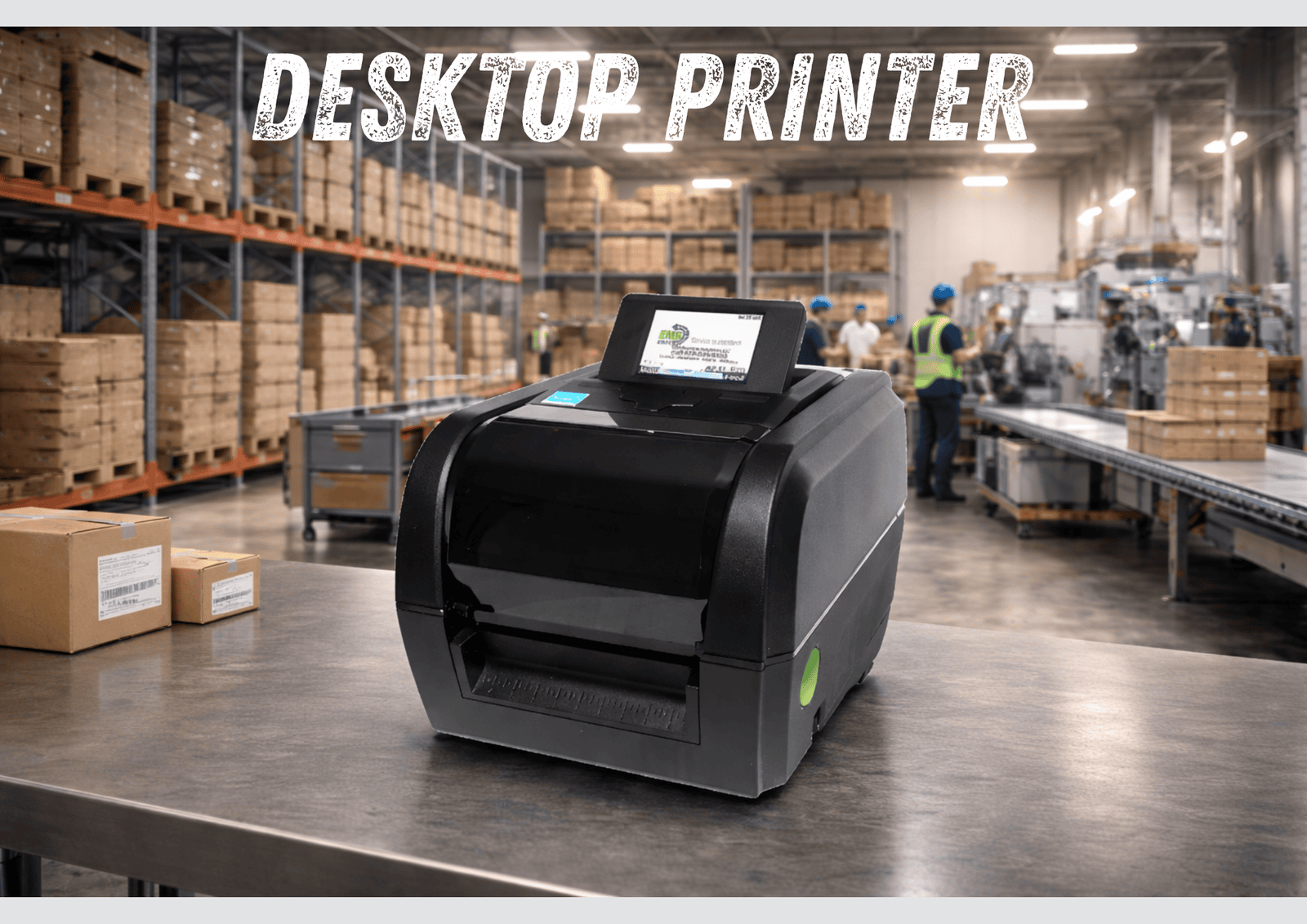
Desktop Barcode Printer - Flexible, Performance-Driven Labeling for Daily Shop Floor Operations
If your operation prints up to 500 labels per day per printer and does not require continuous industrial output, a performance desktop barcode printer is typically the correct choice.
Desktop printers are often misunderstood as “light-duty” equipment. The model EMS promotes is not an office-grade printer — it is a heavy-duty performance desktop platform built for manufacturing and warehouse environments.
It delivers industrial-level print quality in a compact footprint.
When a Desktop Printer Is the Right Fit
Choose a desktop barcode printer when:
You print up to 500 labels per day
The printer will remain at a fixed workstation
You need durable Thermal Transfer labels
Space is limited
You want industrial performance without industrial size
Desktop printers are ideal for:
Bin location labeling
Work-in-process labels
Inventory tracking
Shipping and receiving
Outdoor Labels
Print Technology: Direct Thermal & Thermal Transfer
The EMS performance desktop printer supports both:
Direct Thermal (DT)
No ribbon required
Lower maintenance
Best for short-term labels
Thermal Transfer (TT)
Uses ribbon
Produces highly durable labels
Resistant to heat, abrasion, and chemicals
Ideal for manufacturing environments
If your labels must survive production, handling, or outdoor exposure, Thermal Transfer is recommended.
Performance Specifications
The EMS Certified Desktop Printer includes:
4-inch print width
203 dpi standard resolution (optional higher resolution models available)
High-speed label output
Dual motor design for consistent media handling
Rugged internal construction for daily industrial use
This printer platform supports a wide range of media, including:
Paper labels
Synthetic labels
Polyester and durable materials
Outdoor-rated labels
Wired Standard. Wireless Optional.
By default, the EMS Desktop Printer connects via:
USB
Ethernet
For facilities requiring placement flexibility, an optional Wi-Fi module is available.
This allows:
Deployment without running an Ethernet cable
Easier expansion into new production areas
Flexible workstation placement
Performance remains identical — connectivity is simply expanded.
Why Choose a Performance Desktop Instead of Industrial?
If you are not printing continuously throughout the day, a performance desktop model:
Costs less
Takes up less space
Requires less power
Still delivers durable output
The key is to match printer capacity to actual production demand.
Common Mistakes When Selecting Desktop Printers
Buying a light-duty office printer for industrial use
Choosing Direct Thermal when durability is required
Ignoring media compatibility
Overbuying industrial capacity unnecessarily
Printer selection should be based on volume, durability requirements, and workflow — not assumptions.
Bottom Line
The EMS Certified Desktop Barcode Printer delivers industrial-grade reliability in a compact form factor.
It is the ideal solution for:
Fixed shop floor workstations
Standard daily production labeling
Warehouses requiring consistent output
Facilities scaling without overinvesting
When properly configured and deployed, it becomes a dependable part of your daily workflow — not a maintenance concern.
Desktop Barcode Printer - Flexible, Performance-Driven Labeling for Daily Shop Floor Operations
If your operation prints up to 500 labels per day per printer and does not require continuous industrial output, a performance desktop barcode printer is typically the correct choice.
Desktop printers are often misunderstood as “light-duty” equipment. The model EMS promotes is not an office-grade printer — it is a heavy-duty performance desktop platform built for manufacturing and warehouse environments.
It delivers industrial-level print quality in a compact footprint.
When a Desktop Printer Is the Right Fit
Choose a desktop barcode printer when:
You print up to 500 labels per day
The printer will remain at a fixed workstation
You need durable Thermal Transfer labels
Space is limited
You want industrial performance without industrial size
Desktop printers are ideal for:
Bin location labeling
Work-in-process labels
Inventory tracking
Shipping and receiving
Outdoor Labels
Print Technology: Direct Thermal & Thermal Transfer
The EMS performance desktop printer supports both:
Direct Thermal (DT)
No ribbon required
Lower maintenance
Best for short-term labels
Thermal Transfer (TT)
Uses ribbon
Produces highly durable labels
Resistant to heat, abrasion, and chemicals
Ideal for manufacturing environments
If your labels must survive production, handling, or outdoor exposure, Thermal Transfer is recommended.
Performance Specifications
The EMS Certified Desktop Printer includes:
4-inch print width
203 dpi standard resolution (optional higher resolution models available)
High-speed label output
Dual motor design for consistent media handling
Rugged internal construction for daily industrial use
This printer platform supports a wide range of media, including:
Paper labels
Synthetic labels
Polyester and durable materials
Outdoor-rated labels
Wired Standard. Wireless Optional.
By default, the EMS Desktop Printer connects via:
USB
Ethernet
For facilities requiring placement flexibility, an optional Wi-Fi module is available.
This allows:
Deployment without running an Ethernet cable
Easier expansion into new production areas
Flexible workstation placement
Performance remains identical — connectivity is simply expanded.
Why Choose a Performance Desktop Instead of Industrial?
If you are not printing continuously throughout the day, a performance desktop model:
Costs less
Takes up less space
Requires less power
Still delivers durable output
The key is to match printer capacity to actual production demand.
Common Mistakes When Selecting Desktop Printers
Buying a light-duty office printer for industrial use
Choosing Direct Thermal when durability is required
Ignoring media compatibility
Overbuying industrial capacity unnecessarily
Printer selection should be based on volume, durability requirements, and workflow — not assumptions.
Bottom Line
The EMS Certified Desktop Barcode Printer delivers industrial-grade reliability in a compact form factor.
It is the ideal solution for:
Fixed shop floor workstations
Standard daily production labeling
Warehouses requiring consistent output
Facilities scaling without overinvesting
When properly configured and deployed, it becomes a dependable part of your daily workflow — not a maintenance concern.
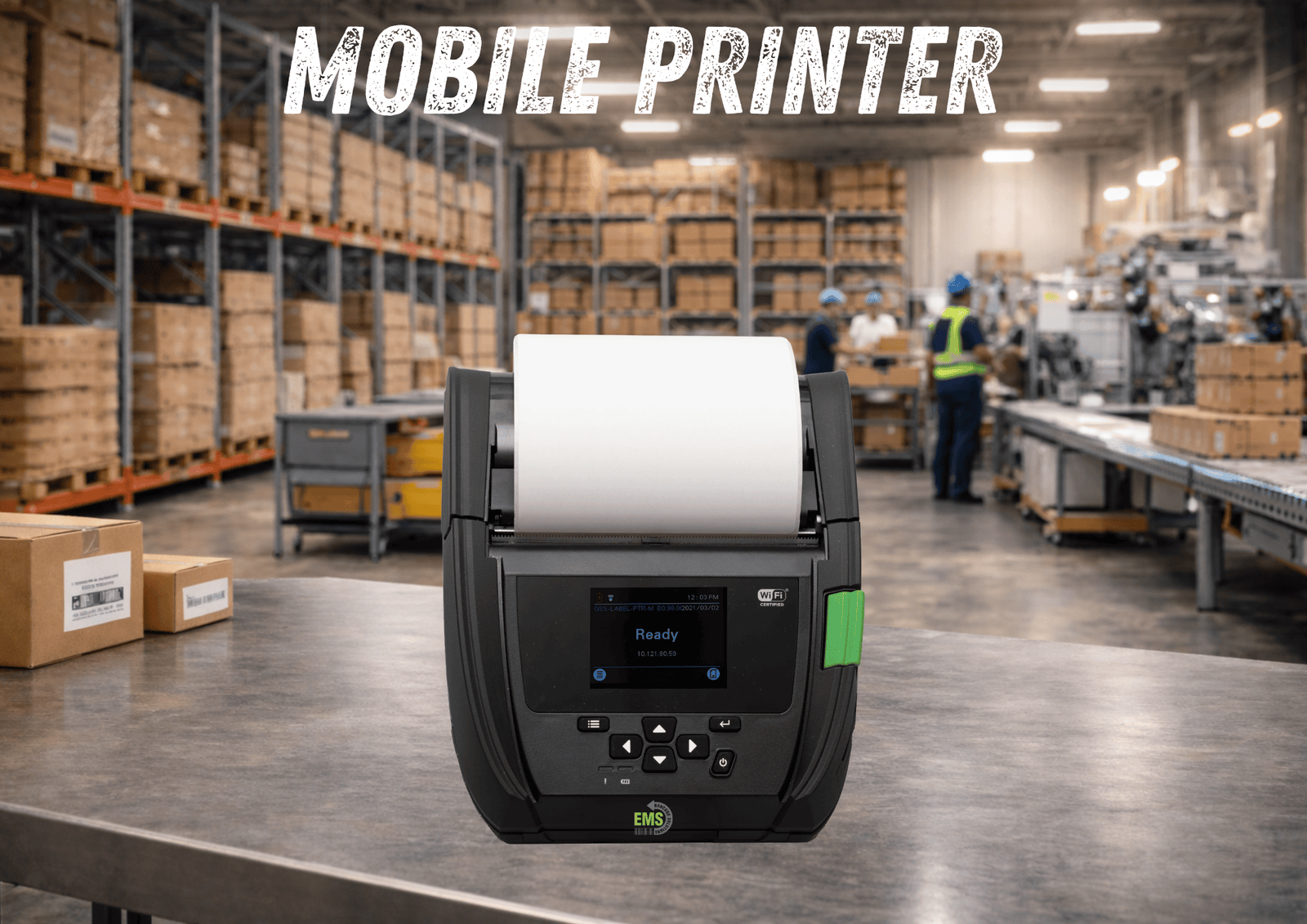
Mobile Barcode Printer - On-Demand Label Printing Wherever Work Happens
Mobile Barcode Printer - On-Demand Label Printing Wherever Work Happens
Industrial printers are engineered for continuous label production in demanding environments.
Best for:
- 500+ labels per day per printer
- Production lines
- Heavy manufacturing
- Large warehouse operations
Operators move throughout the facility
Printing occurs at multiple physical locations
Forklift labeling is required
Pallet or shipping labels must be printed on demand
Walking back to a fixed printer slows production
Forklift operations
Shipping and receiving
Pallet labeling
Cross-docking
Inventory adjustments
Real-time warehouse execution
No ribbon required
Lower maintenance
Fewer consumables
Simplified operation
Pallet labels
Temporary tracking labels
High-turn inventory
4-inch print width
203 dpi resolution
High-capacity rechargeable battery
Rugged housing built for warehouse environments
Fast label output for real-time workflows
Drops and vibration
Warehouse movement
Forklift mounting
Belt or shoulder strap wear
Wi-Fi
Bluetooth
USB (for setup and configuration)
Mobile computers
Warehouse management systems
ERP systems
Shipping platforms
Walks labels across the warehouse
Waits for labels to print at shared stations
Experiences bottlenecks at centralized printers
Loses time in forklift travel
Expecting high-volume production performance
Ignoring battery capacity requirements
Underestimating wireless coverage needs
Choosing mobile when a fixed printer would be more efficient
Forklift labeling
Real-time warehouse operations
Shipping and pallet workflows
Facilities prioritizing mobility
They are designed for mobility, speed, and real-time workflow execution.
When a Mobile Printer Is the Right Fit
Choose a mobile barcode printer when:
Mobile printers are ideal for:
If mobility increases productivity, a mobile printer is necessary.
Print Technology: Direct Thermal
The EMS Certified Mobile Printer uses:
Direct Thermal (DT) OnlyDirect Thermal is ideal for:
Performance Specifications
The EMS Certified Mobile Printer includes:
It is engineered for:
Connectivity and Integration
Standard connectivity includes:
This allows seamless integration with:
Mobile printers are built to communicate wirelessly and support real-time data flow.
Why Choose Mobile Instead of Desktop?
A desktop printer requires operators to return to a fixed location.
If your team:
A mobile printer increases efficiency immediately.
The value of mobility is not in volume — it is in time saved per transaction.
Common Mistakes When Selecting Mobile Printers
Mobile printers are designed for distributed, on-demand printing — not continuous industrial runs.
Bottom Line
The EMS Certified Mobile Barcode Printer delivers print-on-demand labeling wherever work occurs.
It is the ideal solution for:
When deployed correctly, it removes workflow friction and keeps operations moving.